Are you tired of spending too much on flights? There’s a secret to finding cheap deals with the ‘Anywhere’ feature. This tool lets you be flexible with your travel plans. You can explore different places and find the best prices.
Being flexible with your travel dates and destinations can save you a lot of money. The ‘Anywhere’ feature on Google Flights helps you do just that. It shows you flight prices to many places, helping you find the best deals.
Key Takeaways
- Learn how to use the ‘Anywhere’ feature to find the cheapest flights.
- Discover how to be flexible with your travel plans to save money.
- Explore different destinations without breaking the bank.
- Get tips on how to make the most of your travel budget.
- Become a savvy traveler with the knowledge to snag the best deals.
Understanding Google Flights and Its Benefits
Google Flights is a great tool for comparing flight prices and finding deals. It has powerful features and an easy-to-use interface. This makes it simple to find the right flight for your trip.
Quick Overview of Google Flights
Google Flights is a powerful tool for planning your travel. It lets you compare prices from different airlines, airports, and dates. You can also explore destinations, check flight times, and see price trends.
The platform has a user-friendly interface. This makes it easy to find affordable flights.
Why Use Google Flights for Travel Planning?
Google Flights has many benefits for planning your trip. It gives you a comprehensive overview of flight options. This lets you compare prices and find the best deals.
It also has features like the ‘Anywhere’ feature. This lets you explore different places without picking a specific one. It’s great for travelers who are open to new destinations.
Google Flights also gives valuable insights into price trends. This helps you know when to book your flight to save money. Using Google Flights can help you make smart choices and cut down on travel costs.
The ‘Anywhere’ Feature Explained
Discover the power of Google Flights’ ‘Anywhere’ feature and change how you plan trips. This tool helps you find the best flight deals, no matter where you’re going.
What is the ‘Anywhere’ Feature?
The ‘Anywhere’ feature on Google Flights lets you search for flights without picking a destination. Just type ‘Anywhere’ as your destination, and Google Flights will show you a map of places and their prices. It’s great for travelers who are flexible or need a quick trip.
Key benefits of the ‘Anywhere’ feature include:
- Exploring multiple destinations at once
- Finding the cheapest flights to various locations
- Flexibility in travel planning
How to Access the ‘Anywhere’ Feature on Google Flights
Getting to the ‘Anywhere’ feature on Google Flights is easy. Here’s how:
- Open Google Flights and start a new search
- In the destination field, type ‘Anywhere’ or leave it blank
- Google Flights will display a map showing various destinations and their prices

Using the ‘Anywhere’ feature lets you significantly broaden your travel options. You can find deals you might have missed.
“The flexibility to search for flights without a specific destination is a game-changer. It allows travelers to be spontaneous and take advantage of last-minute deals.”
Finding Your Ideal Destination
Google Flights’ ‘Anywhere’ feature lets you explore different travel options without picking a destination first. This flexibility is key to finding the best deals on flights.
Setting Your Travel Preferences
To get the most out of Google Flights, you need to set your travel preferences. This includes your budget, preferred travel duration, and departure time. By adjusting these settings, you can narrow down your options to the most suitable flights.
- Set a budget to avoid overspending.
- Choose your preferred travel duration to ensure you’re not stuck on a long flight.
- Select your departure time to fit your schedule.
Adjusting Dates for Better Deals
Being flexible with your travel dates can significantly impact the cost of your flight. Use Google Flights to compare prices across different days.
- Use the calendar view to see the cheapest days to fly.
- Adjust your travel dates by a day or two to save on flights.
- Consider flying on off-peak days, such as mid-week.
By following these tips and utilizing the ‘Anywhere’ feature, you can find cheap deals with Google Flights and make the most of your travel budget.
Filtering Your Flight Options
Now that you’ve searched for flights using the ‘Anywhere’ feature, let’s narrow down the options to find the best fit for your travel plans.
Google Flights provides several filters to help you customize your search results. By utilizing these filters, you can make an informed decision based on your preferences and budget.
Utilizing Price Filters
One of the most important filters is the price filter. You can set a specific budget or explore options within a certain price range.
To utilize the price filter effectively:
- Set a maximum price to avoid overspending.
- Explore the cheapest options to discover new destinations.
- Use the price graph to find the cheapest days to fly.
Travel experts say, “Using price filters can significantly reduce your travel costs by identifying the best deals.” As seen in various travel blogs, price comparison is key to saving money.
| Price Range | Destination Options | Cheapest Day to Fly |
|---|---|---|
| $0 – $200 | Multiple European cities | Tuesday |
| $200 – $500 | Various US cities | Wednesday |
| $500+ | Exotic island destinations | Monday |
Exploring Duration and Departure Time Filters
Besides price, you can also filter flights based on duration and departure time. This helps you plan your trip according to your schedule and preferences.
For instance, you can:
- Choose flights with the shortest duration to minimize travel time.
- Select departure times that fit your schedule, whether you prefer morning, afternoon, or evening flights.
By combining these filters, you can find a flight that not only fits your budget but also suits your travel style.
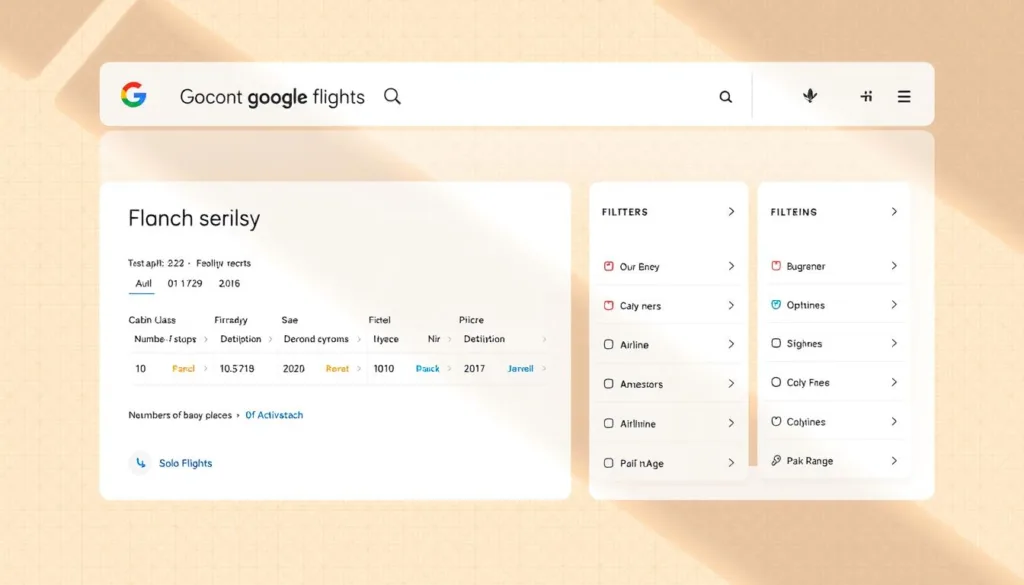
‘The key to finding the best flight deals is flexibility and the right tools.’
Using Google Flights’ filtering options, you can make the most of your travel budget.
Being Flexible with Your Travel Plans
Flexibility is key when looking for great flight deals. Being open to different travel dates, destinations, and airports can save you money. Google Flights’ ‘Anywhere’ feature helps you make the most of this flexibility.
How Flexibility Can Save You Money
Being flexible with your travel plans can lead to big savings. Flight prices change based on the day and season. Traveling on off-peak days or during the off-season can cut costs.
Flying on Tuesdays and Wednesdays is often cheaper than on Fridays and Sundays. Also, traveling during the off-season or shoulder season can save you a lot.
Tips for Being Open to Different Destinations
The ‘Anywhere’ feature on Google Flights encourages you to explore new places. Here are some tips to get the most out of it:
- Explore destinations you’ve never considered before.
- Be open to different types of vacations, such as beach, city, or outdoor adventures.
- Use the calendar view to see the cheapest days to fly to your desired destination.
Embracing flexibility in your travel planning saves money and opens up new adventures. The ‘Anywhere’ feature is a powerful tool for affordable and exciting travel.
Exploring Different Departure Cities
To save money, try flying from different cities, not just your local airport. This can make your trip cheaper.
Why You Should Consider Nearby Airports
Flying from a nearby airport can be cheaper than your local airport. This is because different airports have different airline prices. For example, a study shows nearly 30% of travelers drive further to save on flights.
Benefits of Using Nearby Airports:
- Potential for significant savings on flight tickets
- More airline options, including budget carriers
- Less crowded airports, potentially reducing stress
How to Compare Prices from Different Locations
Google Flights makes it easy to compare prices from different airports. Just enter your destination and check different departure cities for the best deals.
Here’s a step-by-step guide to comparing prices:
- Open Google Flights and enter your destination.
- Click on the “Explore” option to view nearby airports.
- Compare the prices from different airports.
- Adjust your departure city to save on your flight.
Travel experts say being flexible with your departure city can save a lot. As
“Flexibility is key when it comes to finding cheap flights. Using tools like Google Flights to compare prices from different airports can make a big difference.”
| Airport | Price to Destination A | Price to Destination B |
|---|---|---|
| Local Airport | $200 | $250 |
| Nearby Airport 1 | $180 | $220 |
| Nearby Airport 2 | $190 | $230 |
Setting Up Price Alerts
Google Flights has a great tool to help you save money on travel: price alerts. These alerts notify you when a flight’s price changes. This way, you can catch the best deals.
How to Set Up Alerts on Google Flights
Setting up price alerts on Google Flights is easy. Here’s how to do it:
- Enter your departure and arrival cities or use the ‘Anywhere’ feature to explore different destinations.
- Click on the “Track prices” or “Get price alerts” option, usually found on the right-hand side or bottom of the search results.
- Sign in with your Google account to receive notifications.
- Customize your alert preferences, including the frequency of updates and specific routes or dates.
By following these steps, you’ll stay updated on price changes. This helps you make smart travel plans.
Best Practices for Monitoring Fare Changes
To get the most out of price alerts, follow these tips:
- Be flexible with your travel dates. Prices change a lot based on the day and season.
- Monitor multiple routes. Track prices for different options to find the best deal.
- Set up alerts for nearby airports. Sometimes flying into a nearby airport is cheaper.
- Use alerts in conjunction with other travel tools. Use Google Flights with other apps to compare prices and find the best deals.
By using these strategies, you’ll be ready to find the best fares for your trips.
Tips for Booking Once You Find a Deal
Finding a great deal on Google Flights is just the start. Booking at the right time is key to getting the best fare. You’ve found a fantastic destination with the ‘Anywhere’ feature. Now, let’s explore how to book your flight to save money.
When to Book for the Best Fare
When you book your flight can affect the price. Booking 2-3 months in advance often gets you a better deal. But, this can change based on the route, demand, and airline pricing.
For flights within the U.S., book 1-2 months ahead. For international trips, aim for 2-8 months before your flight. Being flexible with your travel dates can also help you find a better price.
Using Incognito Mode to Avoid Price Hikes
Some think airlines and travel sites raise prices if they see you searching the same flight a lot. To avoid this, use incognito mode or private browsing on Google Flights.
While it’s not proven to work for everyone, incognito mode can also protect your privacy. To start a private search, open a new incognito window and go to Google Flights.
By booking at the right time and using incognito mode, you can increase your chances of getting the best fare for your next trip.
Making the Most of Your Travel Budget
Now that you know how to use Google Flights ‘Anywhere’ feature, it’s time to save money. By using Google Flights with other tools, you can find cheaper flights and plan better. This way, you can make your trip more affordable and enjoyable.
Additional Tools for Finding Cheap Fares
For better travel planning, try tools like Skyscanner, Kayak, or Momondo with Google Flights. These help compare prices from different sources. This ensures you get the best deals. Google Flights Anywhere Search Tricks can also help find cheap destinations.
Budgeting for Expenses Beyond the Flight
Remember, the flight cost is just the start. You’ll need money for places to stay, food, transport, and fun activities. By planning your budget well, you can enjoy your trip without stress. Using Google Flights ‘Anywhere’ Feature can help find cheap places to visit, saving you money for other trip costs.
FAQ
What is Google Flights, and how does it work?
Google Flights is a tool that helps you find the cheapest flights. It compares prices from different airlines and airports. This way, you can find the best deals for your travel plans.
How do I access the ‘Anywhere’ feature on Google Flights?
To use the ‘Anywhere’ feature, just type ‘Anywhere’ in the search field. You’ll see a map with prices for various destinations.
Can I set my travel preferences on Google Flights?
Yes, you can customize your search on Google Flights. You can choose your budget, travel duration, and departure time. This helps find flights that fit your needs.
How can I be flexible with my travel plans to save money?
Being flexible can help you save money. Look for cheaper flights on less busy days or during off-peak seasons. Also, try flying from nearby airports or adjusting your travel dates for better deals.
What are price alerts, and how can I set them up on Google Flights?
Price alerts notify you of price changes. To set them up on Google Flights, create a search and click ‘Track prices’. This way, you’ll get updates when prices change.
How can I avoid price hikes when booking a flight?
To avoid price hikes, search for flights in incognito mode. Some sites may raise prices if they see you’re interested in a flight.
Are there any additional tools I can use to find cheap fares?
Yes, there are more tools to find cheap fares. Try flight comparison sites, travel apps, and airline newsletters. Also, look into budget airlines and error fares.
How can I make the most of my travel budget?
To stretch your travel budget, plan your expenses carefully. Consider costs for accommodation, food, and activities. Use Google Flights to find the cheapest flights and save money.